
Looking to leave Empower (formerly Personal Capital) but unsure where to start? Here's the quick path forward:
- Why leave Empower? It may lack advanced tools like tax planning optimization and portfolio analysis and tracking, which are crucial for active investors.
- Steps to exit: Export your financial data securely, verify its accuracy, and close your account following Empower's process.
- Where to go next? Consider Mezzi, an AI-driven platform offering features like tax-saving strategies, detailed investment insights, and personalized recommendations.
Switching platforms doesn’t have to be overwhelming. Below, we’ll guide you step-by-step on how to leave Empower, safeguard your data, and transition smoothly to Mezzi for a more refined financial management experience.
Review of Personal Capital Budgeting
Understanding Your Empower Account and Financial Data
Before moving on from Empower, it's crucial to get a clear picture of how your financial data is organized within the platform. This insight not only helps you decide what data to save but also flags potential issues that could complicate your transition.
How Empower Organizes Your Data
Empower pulls together your financial information from linked accounts - such as checking, savings, investments, and credit cards - along with any data you’ve entered manually. It then updates your portfolio and net worth figures automatically. The platform also stores transaction histories, which are used for spending reports and cash flow analysis.
Investment details are housed in the "Investing" section, where Empower tracks individual securities, share counts, and current prices from your linked accounts. This data is used to build a complete portfolio analysis. For accounts that can’t be linked directly, like certain retirement plans or alternative investments, you can manually input the details.
All of this information contributes to your net worth calculations, which adjust as your account balances change. Empower also lets you organize your data with tools like custom categories, tags, notes, and goals.
Steps to Review Your Account Before Switching
Before exporting your data, take a close look at your Empower account to ensure everything is accurate. Start by going to the "Investing > Holdings" section in your dashboard. Check that the share counts and price values for each holding match the information provided by your financial institution. Some users have reported discrepancies in investment account balances due to errors in holdings or pricing data.
Ensure that any manually entered accounts still reflect their historical data accurately.
Next, review your performance metrics and transaction histories. Look for missing or incorrect entries, as well as any miscategorized transactions. Document any issues you find, especially if you need to reach out to Empower support. For example, the performance tab might combine contributions with returns or misclassify transfers. Additionally, note that figures may differ between the mobile app and the web version.
Keep an eye on your net worth tracking for any unexpected changes, like sudden spikes or drops. These could indicate synchronization problems between your accounts and the platform.
If you spot any discrepancies, document them thoroughly and contact Empower’s support team. Many users have noted delays in support responses, so having detailed records could make resolving issues easier.
Taking the time to fully understand and review your account data will make exporting your information and transitioning to Mezzi much smoother.
Steps to Export and Secure Your Financial Data
Exporting and safeguarding your financial data is an essential step when transitioning to a new platform. Follow these instructions to ensure your data is extracted and secured properly.
Exporting Data from Empower
To begin, log into your Empower account, head over to Settings, and locate the "Data Export" or "Download Data" option under account preferences or privacy settings. From there, you can export your financial data as CSV files.
You’ll have the option to select specific date ranges for your export. If you need a complete record, choose the maximum timeframe available. This is particularly useful for your tax planning strategy and long-term performance tracking. Empower allows you to export various data types individually, such as:
- Transaction histories
- Account balances
- Investment holdings
- Net worth tracking information
When you initiate the export, Empower generates separate CSV files for each account type. For investment accounts, these files typically include details like security names, ticker symbols, share quantities, and historical prices. For banking and credit card accounts, you’ll find transaction data, including dates, descriptions, amounts, and categories.
Once the export process is complete, Empower will send a download link to your registered email address. Be sure to download the files promptly, as the link will expire after a short period.
After downloading, it’s important to verify the data and take immediate steps to secure it.
Checking and Securing Your Exported Data
Start by opening the CSV files in a spreadsheet application, such as Microsoft Excel or Google Sheets, to confirm their accuracy. Check that the date ranges align with your request and that account balances match the figures displayed in your Empower dashboard.
For investment holdings, verify that share quantities and market values correspond to your latest account statements. When it comes to transaction data, cross-check a few months’ worth of entries against your bank and credit card statements to ensure nothing is missing or miscategorized.
Once you’ve verified the data, secure it properly. Here’s how:
- Encrypt your files using AES-256 encryption for an added layer of protection.
- Create password-protected folders with strong, unique passwords that combine letters, numbers, and special characters.
- Enable multi-factor authentication on any cloud storage accounts where you plan to save the data.
Additionally, make regular backups of your encrypted data to avoid accidental loss. Store these backups in separate locations, such as an external hard drive kept in a secure place away from your primary storage.
If you encounter any problems during the export process, the next section will help you troubleshoot.
Fixing Common Export Problems
Sometimes, issues like incomplete transaction histories can occur due to synchronization errors. If you notice missing data, re-link the affected accounts in Empower and request a new export after waiting briefly for the system to update.
Discrepancies in investment data may result from timing differences between Empower’s synchronization and the export generation. Cross-reference this data with your most recent account statements and make adjustments as needed before transferring it to your new platform. Utilizing customizable tax workflows can help streamline this transition and ensure long-term data integrity.
If you experience file corruption, try re-downloading the files using a stable internet connection. For persistent issues, document the problem with screenshots and reach out to Empower’s customer support team with detailed information for a quicker resolution.
Closing Your Empower Account Safely
Once you've ensured your data is secure, it's time to unlink and close your Empower account. Here's how to do it step by step:
How to Close Your Account
Before shutting down your main Empower Personal Dashboard account, make sure to unlink all connected accounts. Keep in mind that removing these accounts will erase all related transactions and data. If you'd rather keep your historical data intact, simply change the account’s status to "closed" instead of removing it.
- Using the web application: Find the account in your list, click the "pencil" icon next to its name, then select "Remove account" in the pop-up window. Confirm by clicking the red "Remove" button.
- Using the mobile app: Select the account you want to remove, tap the "pencil" icon, scroll down, tap "Remove", and confirm your choice.
If you have an Empower Personal Cash account, ensure your balance is either zero or less than $1.00. Also, cancel any recurring transfers before continuing. To close the Cash account, select it from the left-hand side of your dashboard, click "Manage Account" in the upper-right corner, and choose "Close Account". Be sure to download your Cash account statements beforehand, as they won't be accessible after the account is closed.
Finally, to close your main Empower Personal Dashboard account, click the down arrow next to your name in the top-right corner and go to "Settings". Scroll to the bottom of the page and select "Delete User Account". Follow the prompts to confirm and complete the deletion process.
Once your Empower account is closed, you’ll be ready to transition smoothly to AI tools for tracking financial goals or advanced platforms for managing retirement investments.
Transitioning to Mezzi: Features and Setup
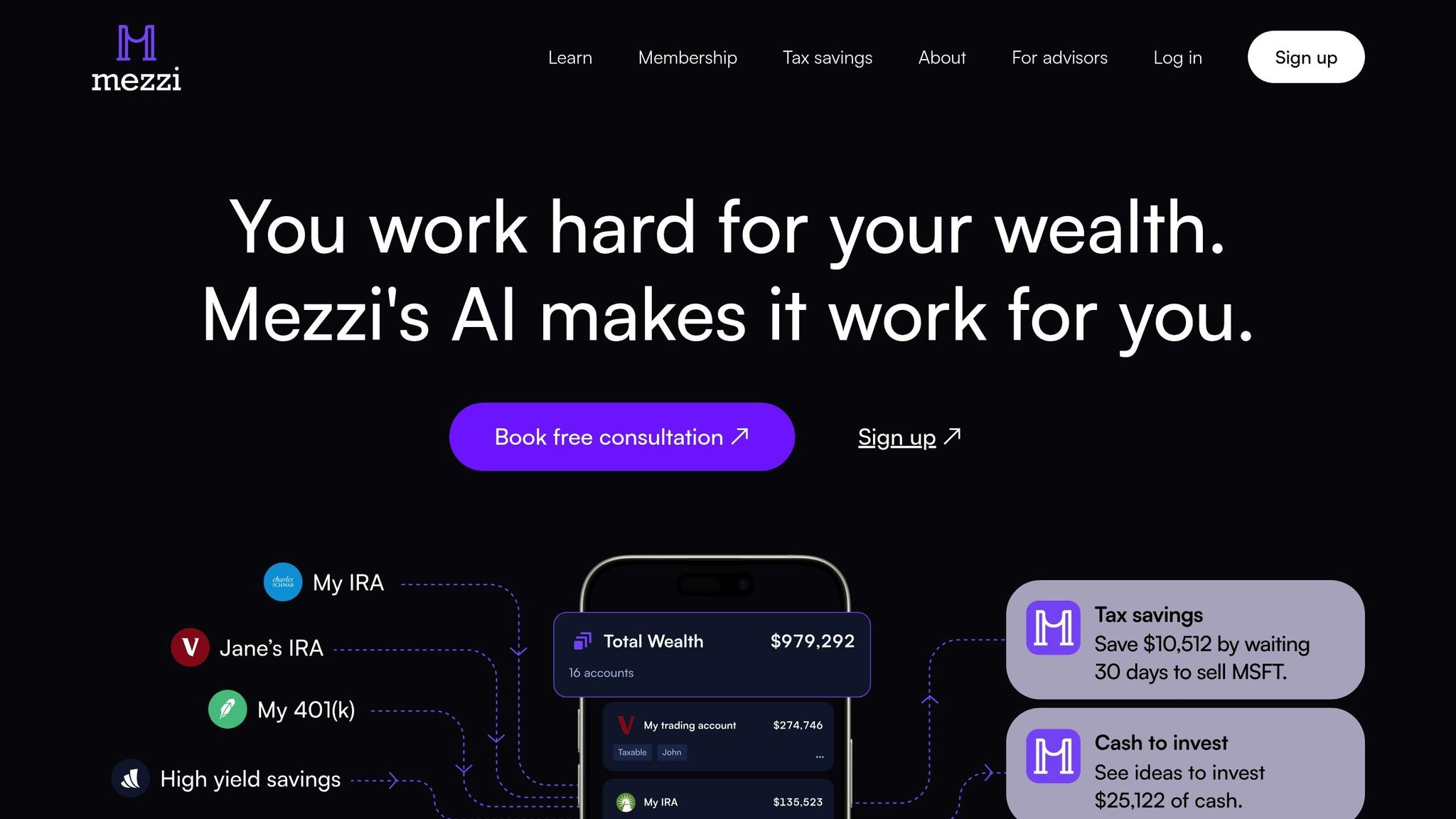
With your Empower account now closed, it’s time to take the next step in managing your finances. Mezzi offers a smarter, more advanced platform designed to simplify wealth management and provide actionable insights. Here’s how Mezzi can elevate your approach to building wealth.
Why Choose Mezzi for Wealth Management?
Mezzi redefines financial management by using AI and advanced analytics to deliver insights that were once exclusive to high-cost financial advisors. The platform focuses on helping you grow your wealth through tailored recommendations and strategies that optimize your tax situation.
One of the standout benefits is the potential for reduced advisory fees. By leveraging Mezzi’s AI-driven insights, you can save money by reducing the impact of fees on your investment growth, allowing your investments to work harder for you.
Unlike basic account aggregators, Mezzi takes an active role in analyzing your financial data. It offers specific, actionable recommendations - whether that’s pointing out tax-saving opportunities or highlighting risks in your portfolio. This approach turns you into an active participant in your financial journey, equipped with tools typically reserved for professionals.
A key strength of Mezzi is its focus on tax optimization. For example, the platform helps prevent wash sales across multiple investment accounts - a complex tax rule that can impact your returns. By automating this process, Mezzi can save you considerable amounts in taxes and fees.
Getting Started with Mezzi
Setting up Mezzi is simple and designed with security in mind. The platform uses trusted services like Plaid and Finicity to protect your financial data during the connection process.
- Creating Your Account: Sign up for Mezzi with ease, and if privacy is a concern, you can use Apple login for anonymized email. Mezzi’s ad-free environment ensures your financial data isn’t used for advertising purposes.
- Linking Financial Accounts: Connect all your investment, bank, and financial accounts in one place. This unified view enables the AI to analyze your entire portfolio effectively.
- Importing Data: If you’re transitioning from Empower, you can import historical data using a CSV export.
- Defining Your Goals: Mezzi guides you through setting financial objectives, assessing risk tolerance, and determining your investment timeline. These details allow the AI to tailor its recommendations to your specific needs.
Once your account is set up and your data is imported, you’ll have access to a suite of powerful tools designed to optimize your financial strategy.
Mezzi's Key Tools and Features
Mezzi offers advanced analytical tools that go beyond basic financial tracking, providing insights typically reserved for professional portfolio managers.
- X-Ray Tool: This feature uncovers hidden stock exposures that might increase your vulnerability to market swings. By identifying overlaps across your accounts, you can make informed decisions about rebalancing or diversifying your investments.
- Financial Calculator: Unlike basic retirement calculators, this tool factors in variables like portfolio value, annual contributions, projected returns, and asset management fees. It delivers a detailed retirement projection on par with professional financial planning software.
- Real-Time AI Insights and Support: Mezzi’s AI provides continuous updates and recommendations, while 24/7 chat support ensures you’re never left in the dark about your financial decisions.
- Account Aggregation: View all your accounts in one place, either combined or individually, for a comprehensive understanding of your financial picture. This feature simplifies managing multiple accounts, offering a unified perspective on your investments.
Mezzi’s commitment to privacy and security ensures that your financial information remains protected. Its focus on providing advanced analytics in a secure environment makes it a reliable choice for managing your wealth and achieving your financial goals.
Comparing Empower and Mezzi: Key Differences
Understanding how Empower and Mezzi differ can help you decide which platform better suits your financial management needs. Empower focuses on account aggregation and basic portfolio tracking, while Mezzi takes a more advanced approach, offering AI-driven insights and optimization tools designed to actively improve your financial outcomes.
Empower provides straightforward account aggregation for basic tracking. Mezzi, on the other hand, dives deeper into your financial landscape, delivering tailored recommendations based on a comprehensive analysis of your accounts.
Tax optimization is a standout difference. Empower includes basic tax reporting, but Mezzi goes further by identifying specific opportunities to save on taxes and fees, even preventing wash sales across multiple accounts.
The user experience also sets these platforms apart. Empower prioritizes clear presentation of financial information, whereas Mezzi creates a more dynamic experience, with AI continuously suggesting actionable steps to enhance your portfolio's performance.
Here’s a quick comparison of their key features:
Feature Comparison Table
| Feature | Mezzi | Empower (Personal Capital) |
|---|---|---|
| Account Aggregation | Unified view with AI-driven insights | Basic tracking across accounts |
| Tax Optimization | Automated strategies to reduce taxes and fees | Basic tax reporting only |
| Investment Analysis | X-Ray tool for uncovering risks and AI insights | Portfolio tracking and allocation charts |
| Financial Planning | Advanced calculators with fee analysis | Basic retirement planning tools |
| User Support | 24/7 AI chat and coaching calls | Email and phone support |
| Privacy Protection | Ad-free, anonymized email login via Apple | Standard account management |
| Actionable Recommendations | Real-time AI-driven suggestions | General alerts and insights |
| Data Security | Plaid and Finicity integration with advanced controls | Standard security protocols |
| Pricing Model | $199-$499 annually, no hidden upsells | Free with optional advisory services |
| Target User | Self-directed investors seeking optimization | General users focusing on account visibility |
These differences highlight why Mezzi appeals to active investors looking for deeper insights and transparency. While Empower offers free basic services and generates revenue through advisory upsells, Mezzi uses a straightforward subscription model, charging $199-$499 annually for its advanced AI-driven features without hidden fees or advertisements.
Data privacy is another area where Mezzi stands out. Its ad-free model ensures your financial data isn’t used for marketing or product promotions. Mezzi’s recommendations are purely focused on your financial benefit, giving you peace of mind that your interests come first.
When it comes to analytical depth, the platforms take very different approaches. Empower excels at presenting financial data in a clean, easy-to-read format and tracking your progress over time. Mezzi, however, offers tools like its X-Ray analysis and advanced calculators, which provide insights typically reserved for professional portfolio managers. These features uncover hidden risks, portfolio overlaps, and inefficiencies, helping you make more precise adjustments.
For active investors juggling multiple accounts, Mezzi’s holistic analysis can be a game-changer. By identifying concentration risks, portfolio overlaps, and tax inefficiencies, Mezzi offers a level of optimization that Empower’s interface doesn’t match.
Making the Switch to Mezzi
Switching from Empower to Mezzi is a straightforward process that can elevate how you manage your finances. Once your data is secured, setting up Mezzi gives you access to advanced tools and insights designed to optimize your financial strategy.
Start by exporting your Empower data. Follow the earlier instructions to download your transaction history, account summaries, and any reports you want to retain. Keeping these records ensures you can maintain a seamless view of your financial progress during the transition.
Setting up Mezzi is quick and user-friendly. The platform connects directly to your accounts and even offers Apple login for added privacy, keeping your email address anonymous while still providing full access to your financial data.
Once connected, Mezzi gets to work immediately. Unlike Empower's basic tracking, Mezzi's AI-driven tools actively identify ways to save you money. From reducing taxes and fees to sending alerts about potential wash sales across your investment accounts, Mezzi provides insights Empower simply doesn't offer.
One standout feature is Mezzi's X-Ray tool, which dives deep into your portfolio. It uncovers hidden exposures - stocks you might not realize you're holding through various funds and ETFs. This level of detail helps you address concentration risks that could affect your long-term returns, offering a more comprehensive approach to wealth management.
For active investors, Mezzi's robust features deliver significant value. While the annual subscription ranges from $199 to $499, the platform’s ad-free experience ensures your financial data stays private - without the upselling tactics you might encounter with Empower.
Before closing your Empower account, make sure Mezzi is fully set up and tracking all your accounts accurately. Taking a phased approach minimizes disruptions and ensures a smooth transition to the new platform.
Switching to Mezzi isn’t just about changing platforms - it’s about upgrading to a smarter, more proactive way to manage your wealth. Instead of merely tracking your accounts, Mezzi is among the best AI for portfolio management, using AI to actively optimize your financial outcomes and help you grow your wealth more effectively.
FAQs
What makes Mezzi a great choice for managing my finances after leaving Empower?
Mezzi is a standout tool for handling your finances, combining AI-powered features with an easy-to-navigate design. It offers a range of advanced capabilities, including tax planning, risk assessment, and personalized strategies to help you make the most of your investments and build your wealth. The platform’s straightforward interface makes it simple to organize accounts by tax categories, group them for better visibility, and even share key insights with your financial advisor.
On top of that, Mezzi excels in goal-oriented financial planning and expense tracking, making it a valuable resource for independent investors looking to stay aligned with their objectives. By delivering tailored insights and actionable recommendations, Mezzi equips you with the tools to confidently manage and shape your financial future.
How can I securely transfer my financial data from Empower to Mezzi during the transition?
To transfer your financial data from Empower to Mezzi securely, follow these steps:
- Download your data securely: Use Empower's secure download tools to export your financial information. Make sure the data is saved on a device with strong security measures in place.
- Check Mezzi’s security measures: Verify that Mezzi uses advanced security protocols, like encryption and SOC 2 compliance, to keep your data safe during and after the transfer.
- Transfer through secure channels: Always use encrypted and secure methods for transferring your data to prevent any unauthorized access.
These steps will help protect your financial information and ensure the transition to Mezzi goes smoothly.
What should I do if there are issues or discrepancies with my financial data when exporting from Empower?
If you’re running into problems while exporting financial data from Empower, a good first step is to resync your account. This simple action often clears up common issues like missing or outdated transactions. Check Empower’s guidelines for syncing or refreshing your account data to get started.
Should the issue persist, pay close attention to any error messages or alerts. These can provide insight into what’s causing the problem. For instance, delays during account refreshes or limits on data capacity might be the culprits. In such cases, you may need to wait for the refresh to complete or tweak your account settings. If the problem still isn’t resolved, manually review your data, attempt the export process again, and don’t hesitate to reach out to Empower’s support team for further help.
Following these steps can make the data transfer process much smoother and more reliable.
Related Blog Posts
Table of Contents
Book Free Consultation
Walk through Mezzi with our team, review your current situation, and ask any questions you may have.